The main drive is read-only
Before copying, btpair remounts the main drive read-only with diskutil and verifies it. A sync never modifies the main drive, and a test checks exactly that.
Side work / btpair
Two external drives and your Mac are enough. Plug in the replica and btpair mirrors your main drive onto it: one way, with the main drive locked read-only and a record of every run on both drives.
Free and MIT-licensed. A terminal app for macOS; needs rsync 3.1 or newer from Homebrew.
01 / The idea
Mirroring a drive is one rsync --delete away. Point it the wrong way, run it against an empty
drive that failed to mount, or let it delete a folder you only renamed, and the copy you were relying on is
gone. btpair wraps rsync with the checks you would forget at 11 pm.
02 / How it works
Plug in the drives and open btpair. It finds the pair on its own and walks you through the run.
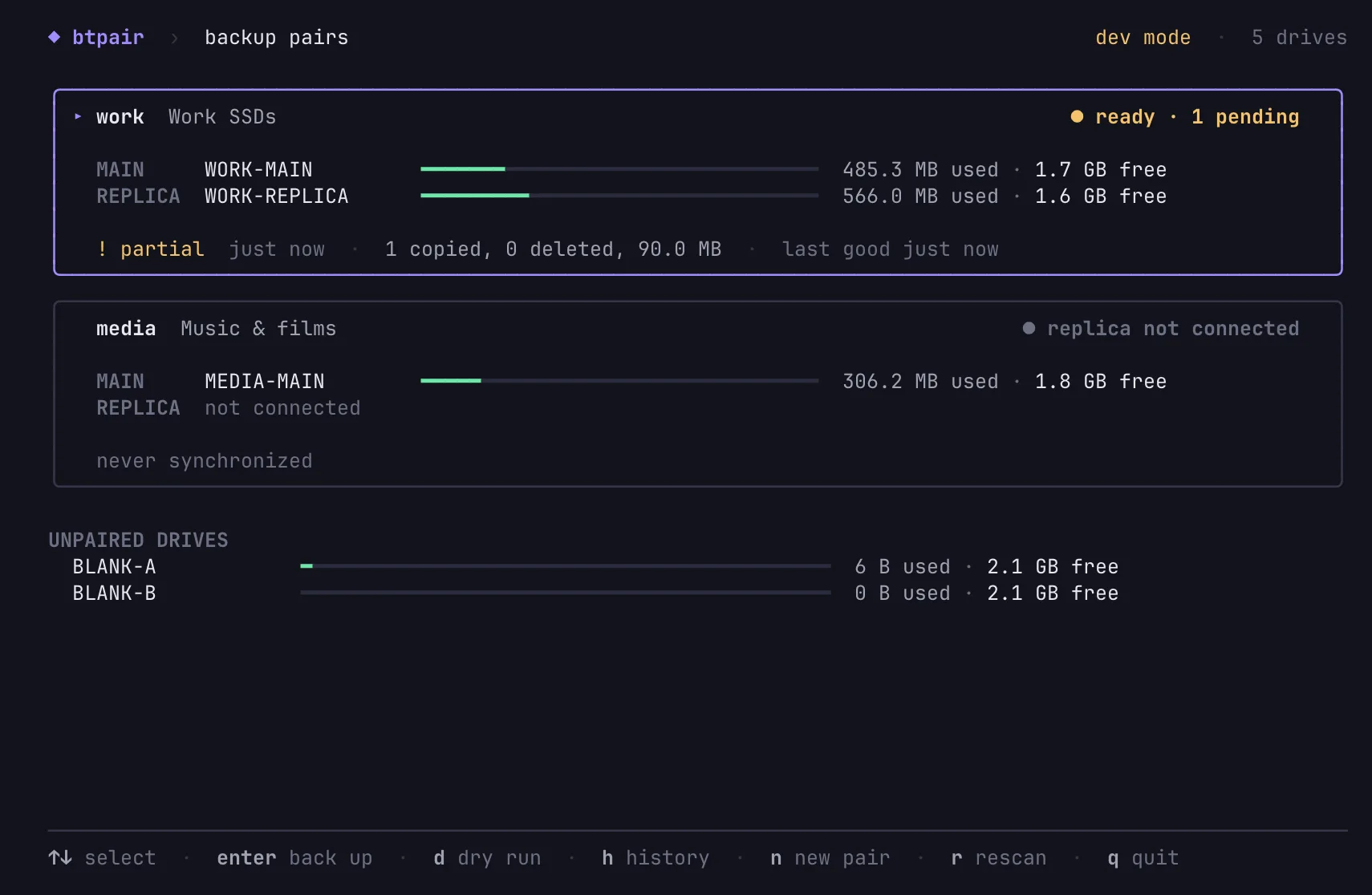
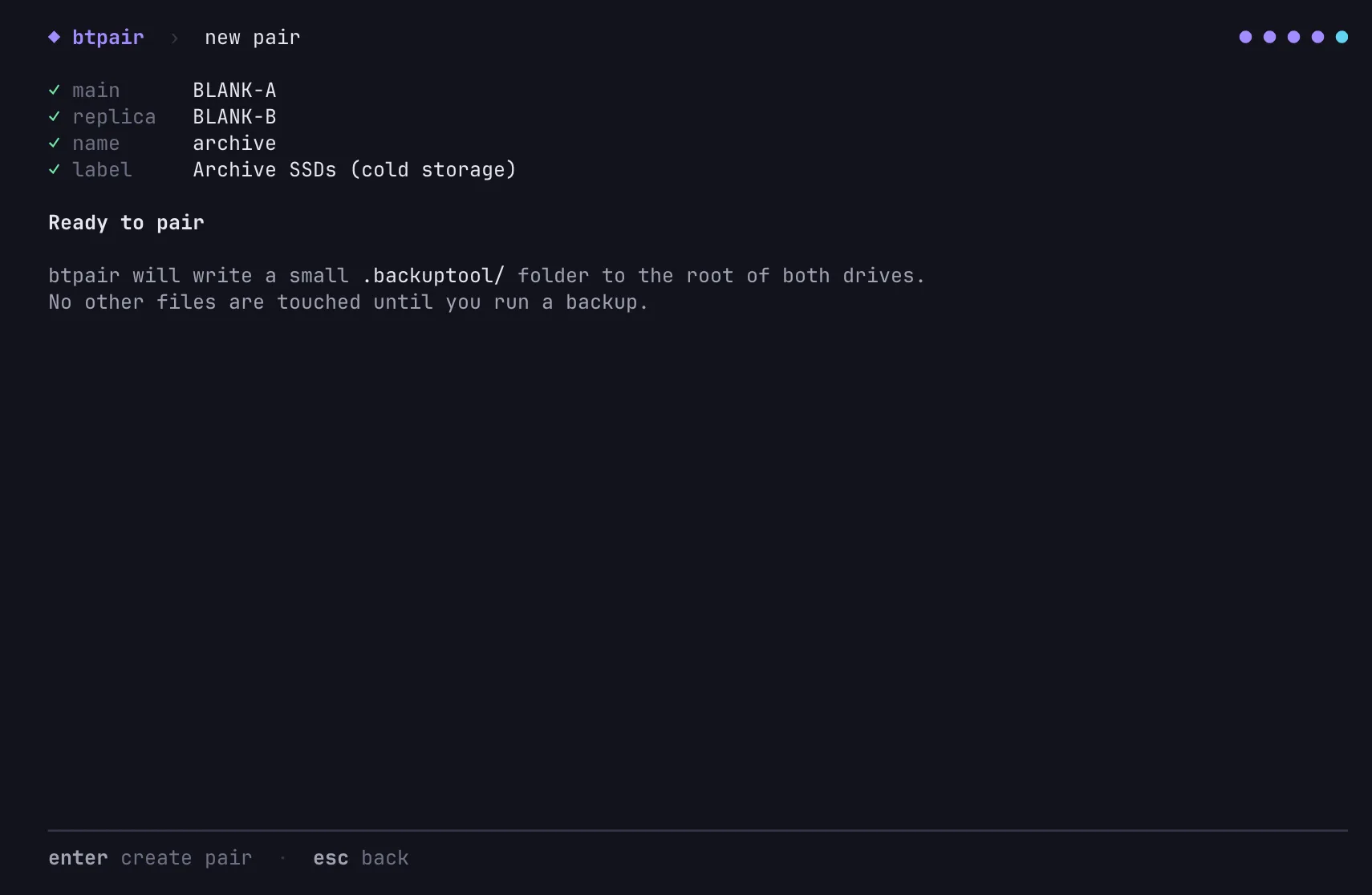
Press n with two drives plugged in. btpair writes a small .backuptool/ folder to each with the pair ID, the drive’s role and its partner’s volume UUID. From then on it recognises main and replica by themselves; drive names don’t matter.
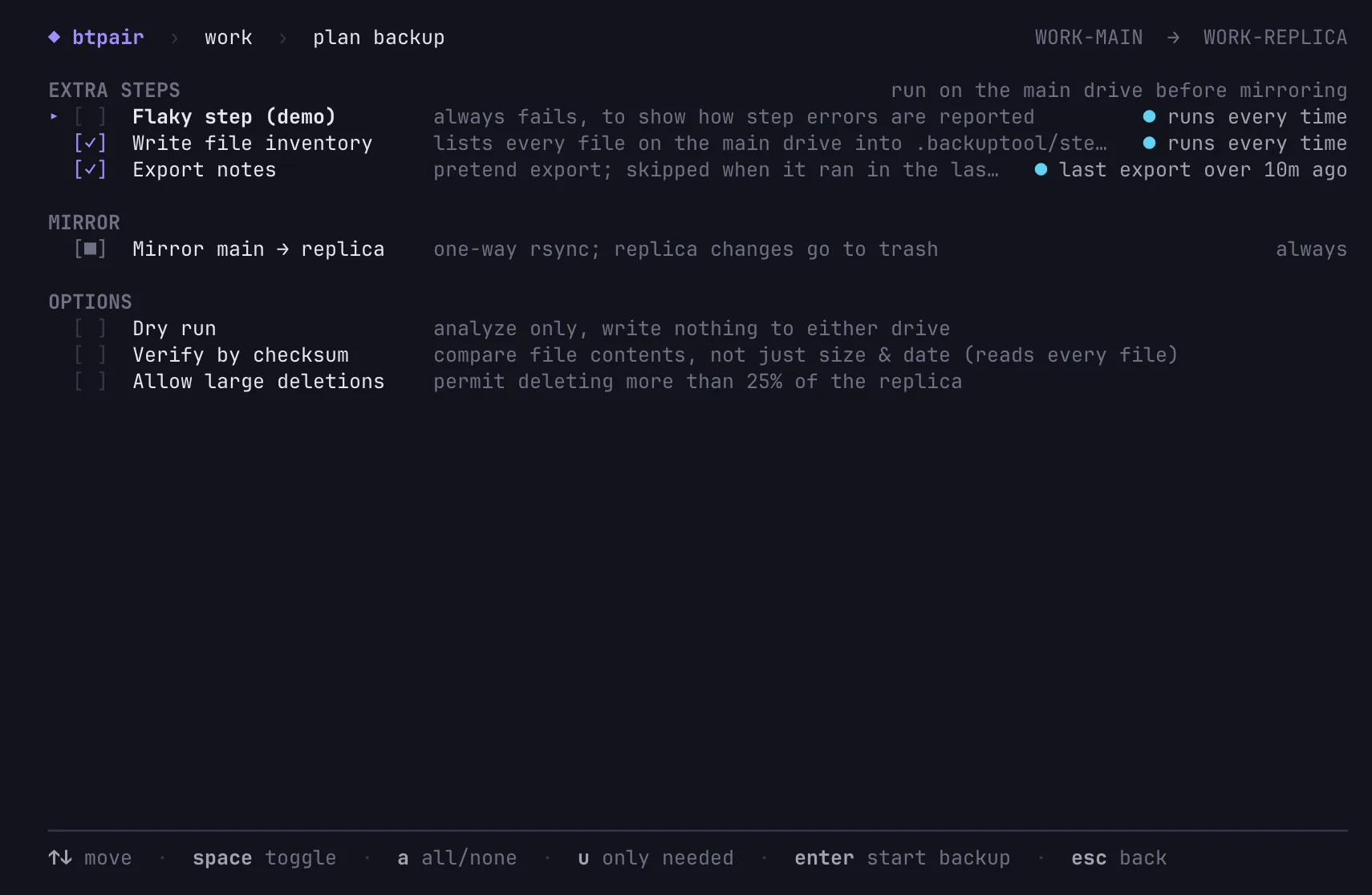
Pick the extra steps for this run. Each one checks first whether it has anything to do, so you see “up to date” before you start. A dry run lists every file that would be copied or removed and writes nothing.
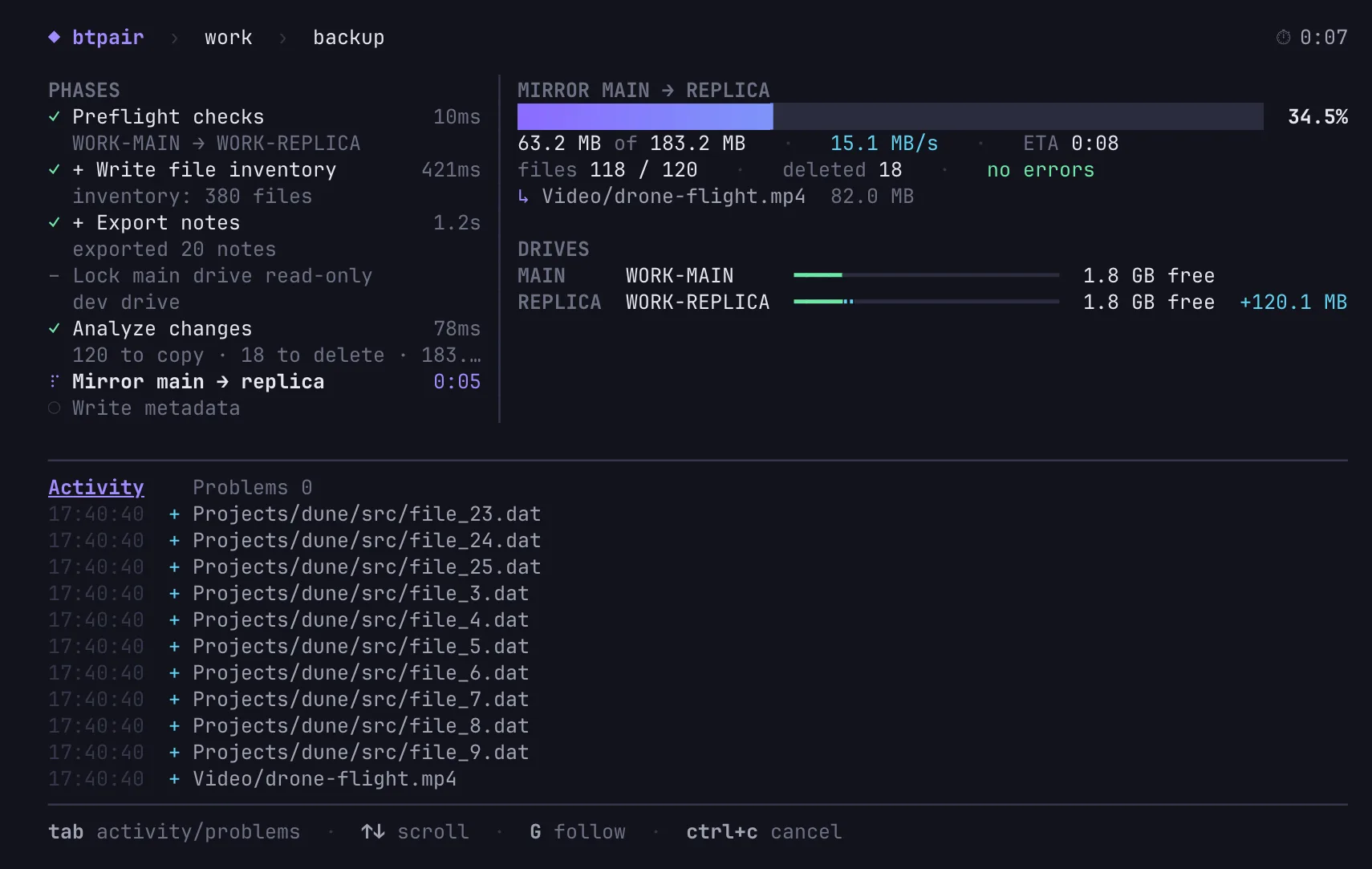
The main drive is remounted read-only and checked before rsync starts. btpair measures the work with a dry pass, applies any renames it found, then mirrors. Anything deleted or overwritten on the replica moves to a trash folder for that run.
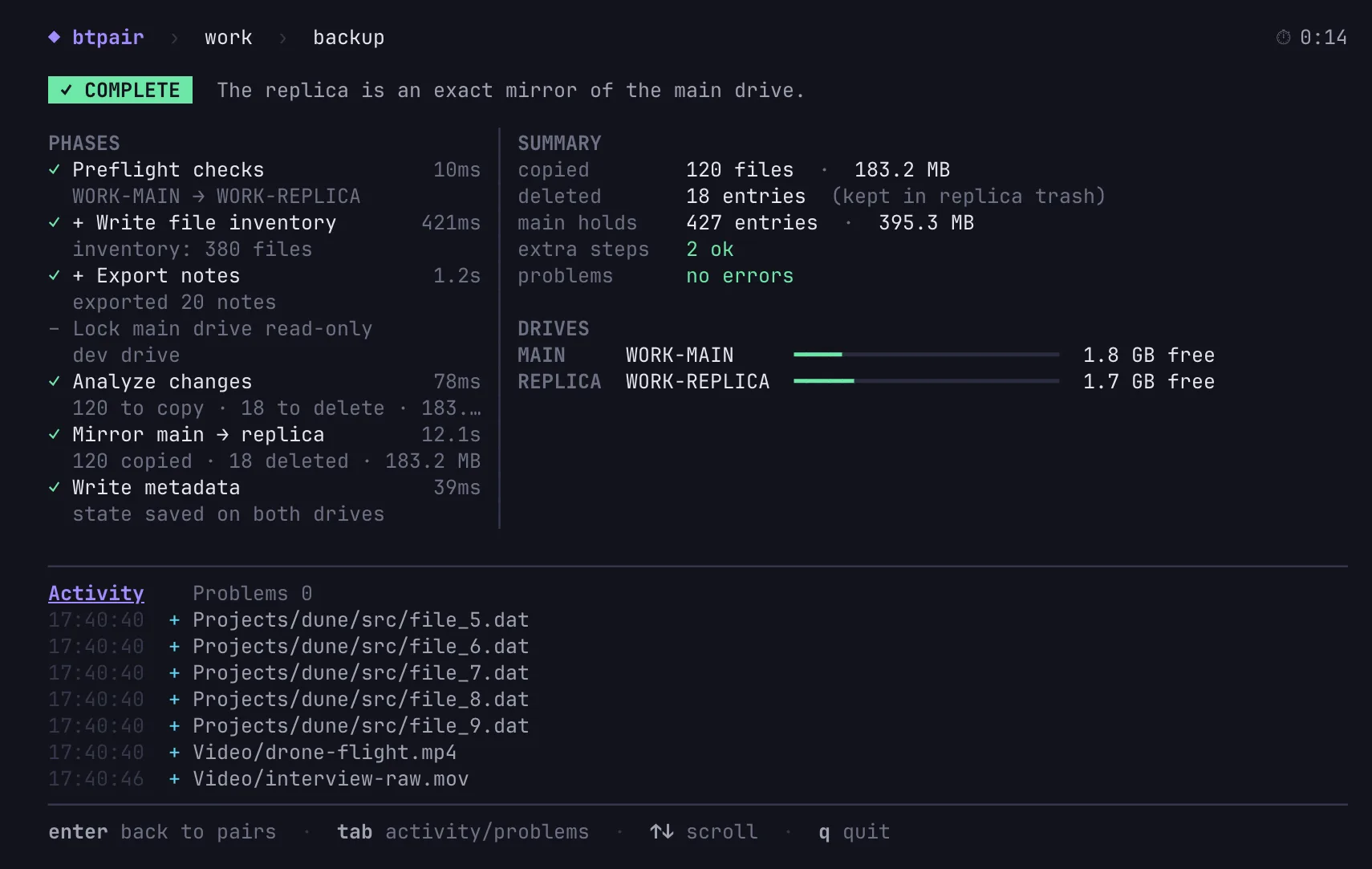
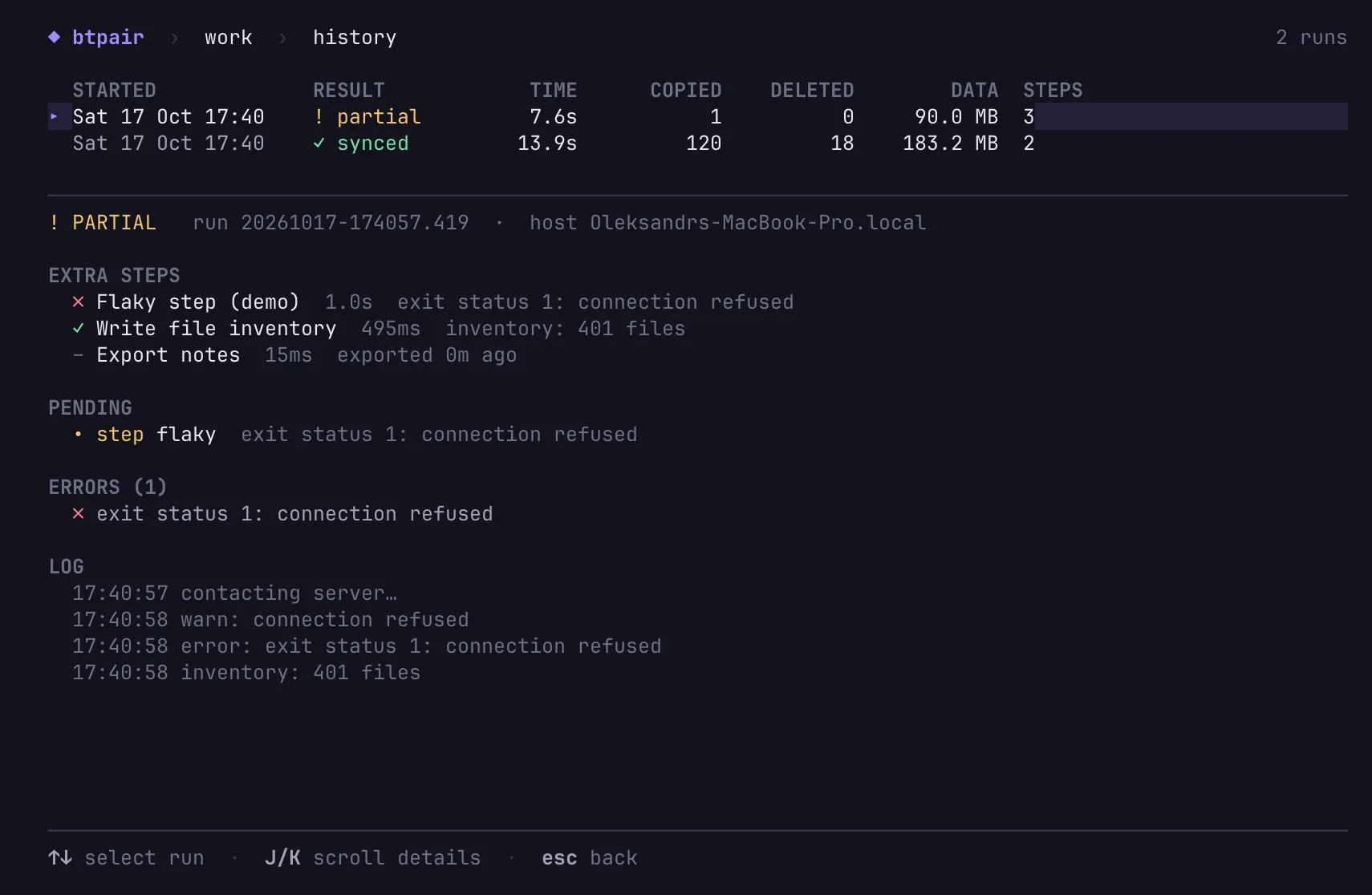
Status, stats, errors and anything left pending are written to both drives. Plug them into any Mac later and btpair knows when they last synced and how it went.
03 / Safety
Each guarantee is enforced in code and pinned by a test that runs real rsync against temporary folders acting as drives.
Before copying, btpair remounts the main drive read-only with diskutil and verifies it. A sync never modifies the main drive, and a test checks exactly that.
Files removed or overwritten on the replica move to .backuptool/trash/<run>/ with their paths intact, so you can copy them back. The last five runs that deleted something are kept.
When a sync needs more room than is free, the oldest runs’ trash is emptied first, only as much as needed, and each emptied run is logged. A dry run says what it would empty.
An empty main drive, a replica short on space, or a run that would delete more than 25% of the replica’s files or of its data all stop before anything changes.
Both drives are marked in_progress before anything changes, so a run that died midway is flagged and completed next time. Cancelling leaves no partial files.
A file pair counts as a rename only with the same size, the same modification time, one unambiguous match and agreeing content samples. Anything doubtful is copied as before.
04 / Screens
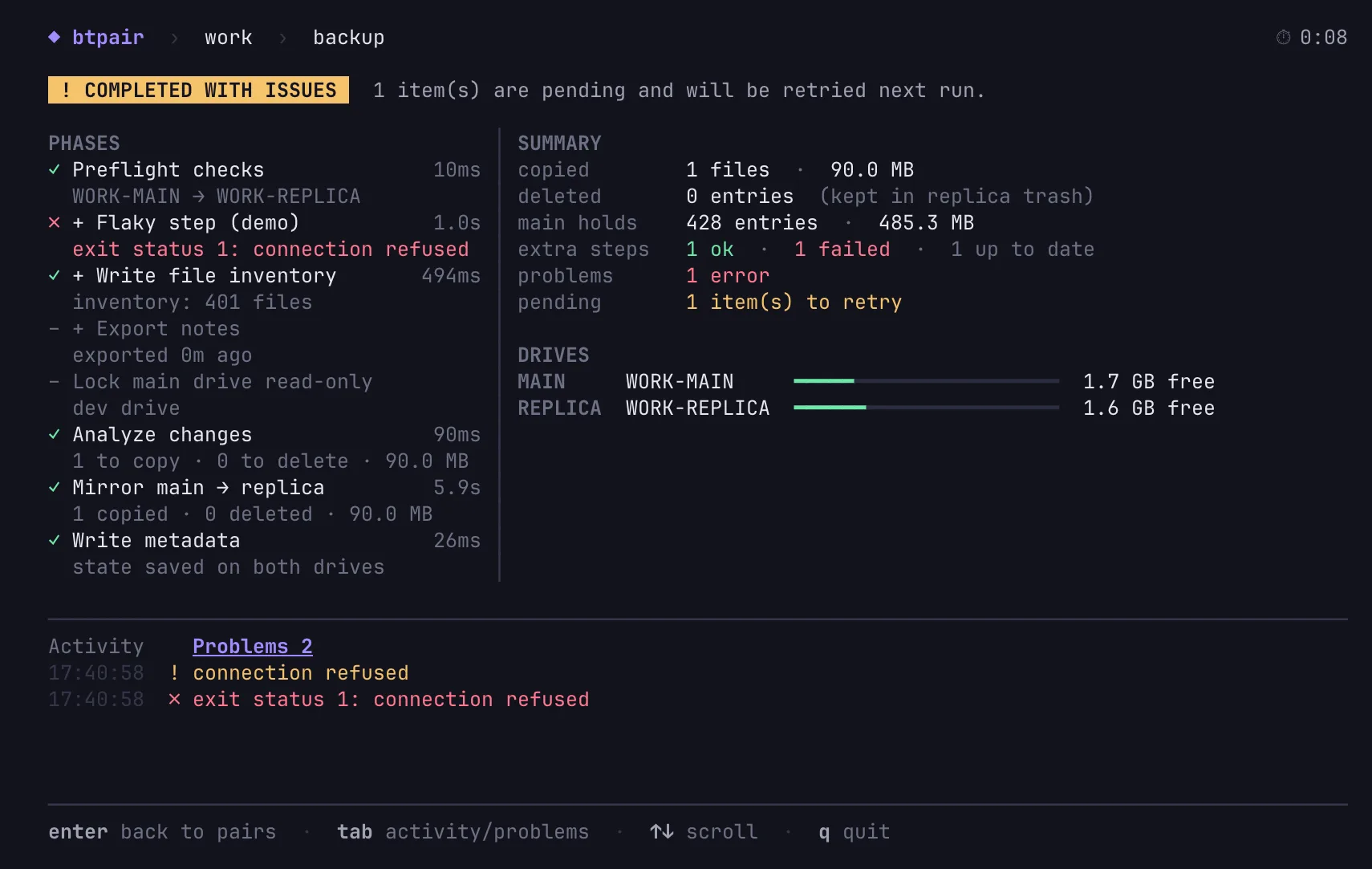
A live phase timeline, progress with speed and ETA, free space on both drives, and errors one tab away.
05 / Under the hood
All metadata lives in a plain-JSON folder at the root of each drive and is never copied between them. Any Mac you plug them into can tell which drive is which and how the last run went.
-aHX --delete; tests pin the direction and that excluded files are never deleted.skip_if check and simple ::progress lines, or in Go. A failed step is recorded as pending and offered again next run.._ files on it; Finder-locked files on the replica are unlocked before they are replaced.make check runs gofmt, vet and the whole suite under the race detector, and CI runs the same on macOS. Every screen of the UI is tested to fit 80 to 200 columns.06 / Get started
No spare drives handy? make debug && make dev builds folders that act like drives, so you can try everything safely.
# macOS ships an old rsync; btpair needs 3.1+
brew install rsync

git clone https://github.com/tryshchenko/btpair.git
cd btpair
make build
./bin/btpair
Two drives, one keypress, and a record of how it went.
btpair on GitHub